


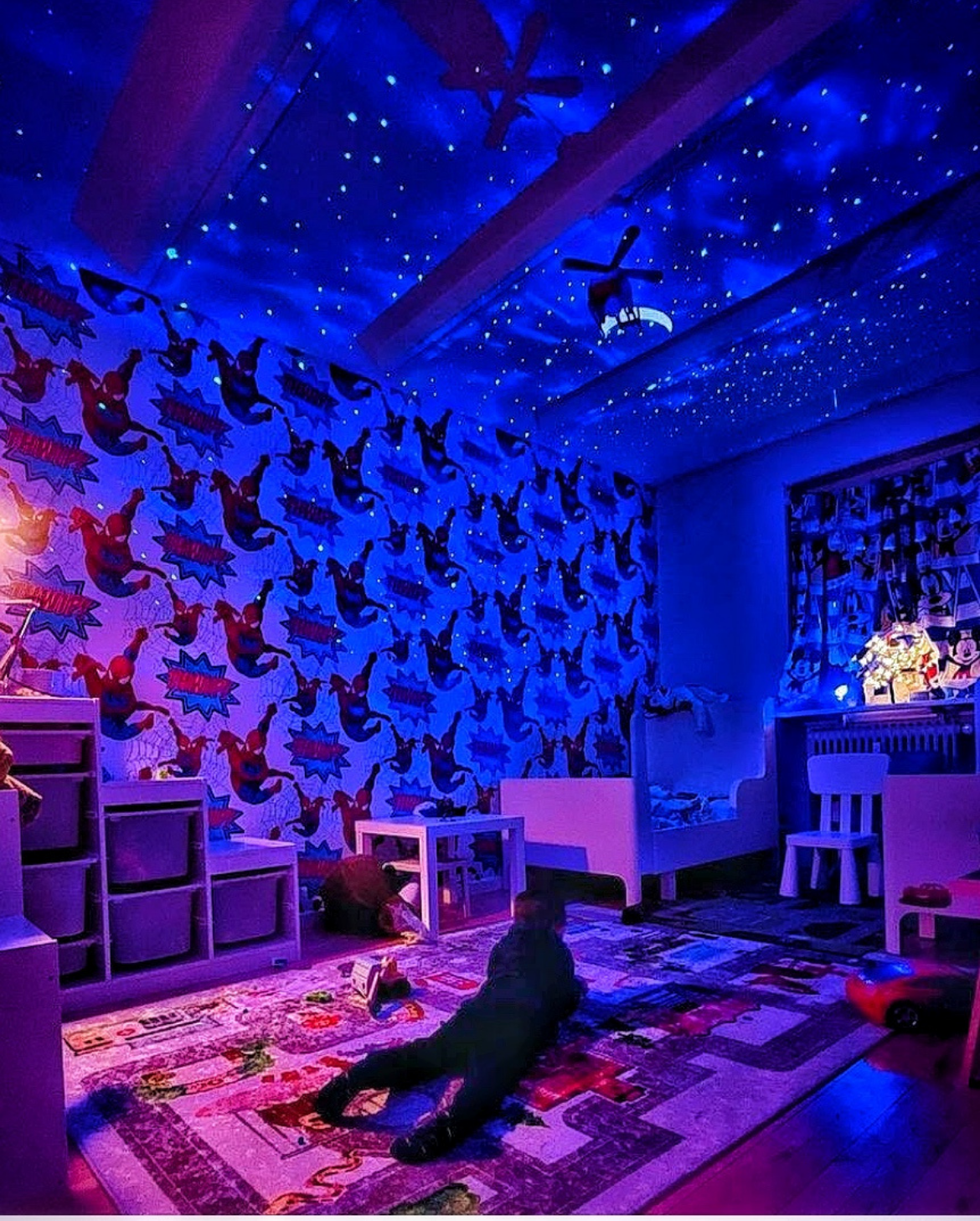
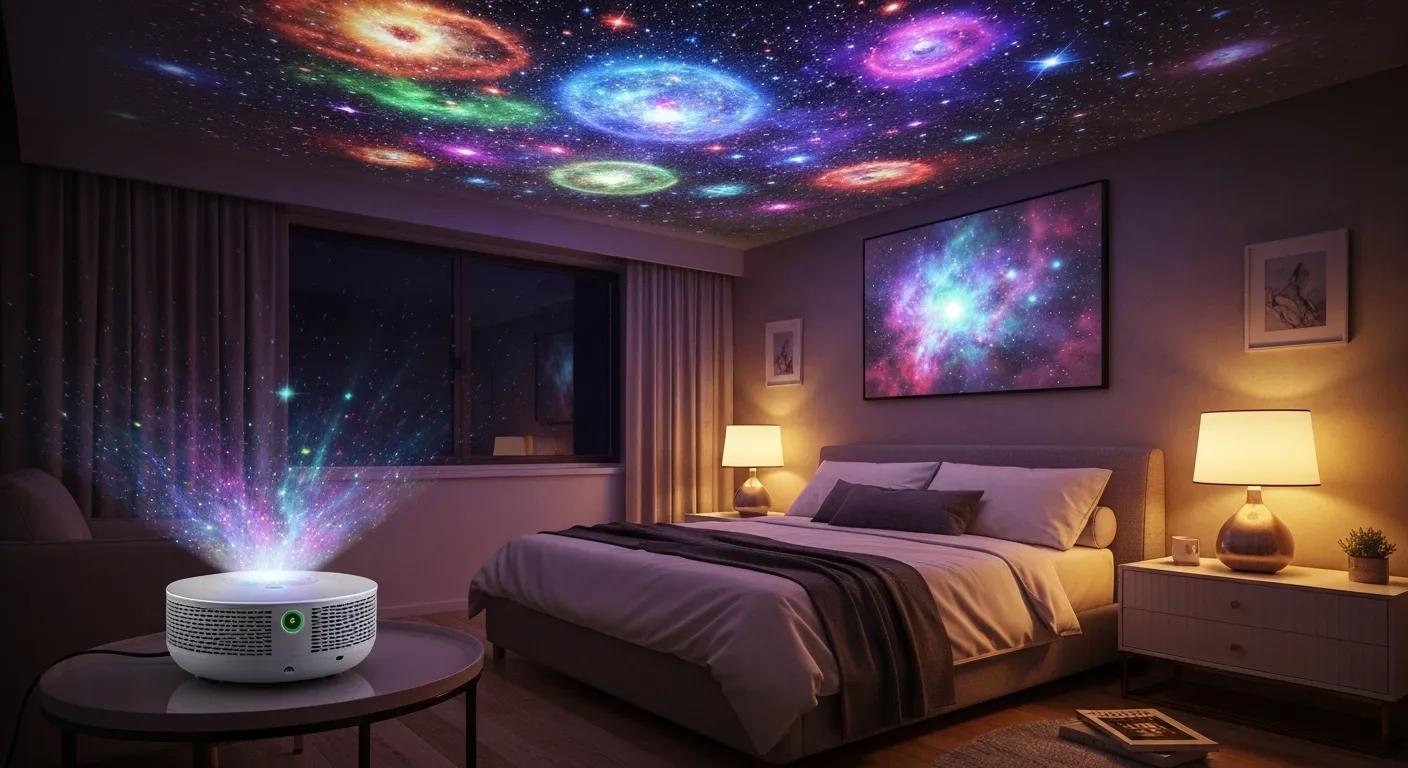
Nebula projectors turn ceilings and walls into immersive starfields and cloud-like nebulae, creating a calm, cinematic or playful atmosphere tailored to bedrooms, living rooms and mindful spaces. This guide explains what a nebula projector is, how laser and LED technologies create the galaxy ambience, and which features matter when shopping for a nebula projector Australia-wide. Many buyers want clear advice about brightness, connectivity, safety for kids’ rooms and practical setup steps, so this guide maps technical concepts to everyday use-cases and local delivery expectations. You will learn how to compare resolution and ANSI lumens, pick a projector for a small bedroom or a large living area, set up the device for best effect, and maintain it to extend service life. The sections that follow cover core technology, brand trust signals and Australian delivery, a buyer’s checklist with comparison table, creative wellness and decor uses, a step-by-step setup and maintenance plan, and a model comparison that positions local offerings alongside mainstream expectations. Throughout, keywords like nebula projector Australia and galaxy projector Australia are used to help you find the right device for your space.
What Is a Nebula Projector and How Does It Create a Galaxy Ambience?
A nebula projector is a specialised ambient lighting device that projects diffuse cloud-like nebulae and pinpoint star fields using laser or LED light sources combined with optical diffusion and lens assemblies. The mechanism is straightforward: a coherent or high-intensity light source passes through patterned optics and rotating or static diffusion to create layered nebula textures and star points on nearby surfaces, producing an immersive galaxy ambience. This effect supports mood regulation, relaxation and atmospheric design by shifting visual focus and providing gentle moving light that reduces cognitive arousal. Understanding the types and the technology behind projection informs practical choices about brightness, colour dynamics and longevity for different rooms and uses. The next subsection categorises common projector types available in Australia and explains which user needs each type addresses.
What Are the Different Types of Nebula Projectors Available in Australia?

Nebula projectors generally split into laser, LED, hybrid, smart-connected and portable battery models, each offering trade-offs in brightness, colour fidelity, investment and convenience. Laser nebula projector devices deliver sharper star points and stronger contrast, making them ideal for larger rooms or installations where clarity matters; however, they tend to involve a higher investment and require caution with direct eye exposure. LED-based models provide rich colour palettes and energy efficiency, offering excellent value and extended service life for casual bedroom and kids’ room use. Hybrid units combine laser sharpness with LED colour washes to balance investment and effect, while smart galaxy projector variants add Wi-Fi or Bluetooth control, timers and app-driven scenes for meditation or parties. Portable star projector models prioritise compact size and battery operation for travel or temporary setups; selecting among these types depends on whether clarity, colour, connectivity or portability is your priority.
Types summarised for quick comparison:
- Laser models: best for sharp stars and large rooms.
- LED models: best for vibrant colours and energy efficiency.
- Hybrid models: best for balanced performance.
- Smart models: best for app control and automations.
- Portable models: best for travel and flexible placement.
These type distinctions make it easier to match hardware to your intended use, and the next subsection explains how laser and LED technologies uniquely influence projection quality.
How Does Laser and LED Technology Enhance Galaxy Projection?
Laser and LED technologies influence the core projection attributes—brightness, colour range, contrast and operational life—through distinct physical and optical behaviours. Laser projection creates coherent light that produces concentrated star points and distinct nebula textures, resulting in higher perceived contrast and sharper edges on ceilings; this characteristic translates into a stronger presence in dim or larger rooms. LED arrays yield broader spectral colour mixing and smoother gradients, which enhance colourful nebula washes and efficient operation, while LED longevity reduces maintenance frequency. Choosing between a laser nebula projector and an LED nebula projector, therefore, depends on whether you prioritise crisp star detail and brightness or softer, colourful ambience and efficient running. Understanding these differences prepares you for feature-focused decisions like lens quality, cooling systems and recommended room conditions.
Why Choose Galactic Night Co. for Your Nebula Projector in Australia?
Galactic Night Co. specialises in premium galaxy projectors and positions its products toward immersive home lighting and wellness experiences while providing Australia-wide customer assurances and support. The company emphasises a balance of professional-looking projection, intuitive user experience and durable build quality to match the needs of meditation spaces, kids’ rooms and decorative installations. Local buyers often value reliable customer service and fast delivery when buying online; presenting clear trial and shipping information helps reduce purchasing friction and supports confidence in your investment. Below, we outline the product differentiators and explain the practical mechanics of the company’s trial and delivery assurances to show how they protect Australian shoppers.
What Are the Key Features That Set Galactic Night Co. Nebula Projectors Apart?
Galactic Night Co. nebula projectors combine refined optical modules, thoughtful user experience and connectivity features to translate hardware into a reliable ambience. Key differentiators include well-engineered lens assemblies for consistent focus across ceilings, carefully tuned light sources for balanced colour and contrast, and ergonomic remotes or app options for quick scene selection; these features reduce setup time and enhance day-to-day usability. The design choices map directly to customer benefits: clearer projection produces a stronger calming effect, responsive controls support timed relaxation sessions, and sturdy housings reduce accidental damage in family homes. For readers comparing options, these feature-to-benefit relationships clarify why certain specifications like lens quality and cooling rates matter beyond raw spec sheets, and the next subsection describes how the company’s trial and delivery promises operate in plain terms.
How Does Our Commitment to Your Satisfaction and Free Delivery Work?
Galactic Night Co. stands by its products with a commitment to customer satisfaction, offering free 2-8 day delivery Australia-wide, and notes over 50,000 orders shipped as proof of scale and service reliability. Our commitment allows customers to try a Nebula projector in their home environment and request assistance within that period if expectations are not met; this trial window reduces buyer uncertainty and encourages hands-on evaluation. Free 2-8 day delivery Australia-wide covers the standard domestic shipping timeframe from dispatch to delivery, with regional variations kept within that range to set realistic expectations for arrival. For support or return enquiries, customers can contact customer service by phone at 0431 515 820, and these contacts facilitate pre-sales questions, troubleshooting or arranging a return. Clear trial mechanics and accessible support ensure buyers in Australia can evaluate performance in their actual room conditions before making a full commitment.
How to Choose the Best Nebula Projector Australia for Your Room?
Selecting the best nebula projector in Australia requires matching technical attributes—resolution, brightness (ANSI lumens), connectivity and portability—to room size and use-case rather than buying by brand alone. Focusing on practical thresholds such as suitable brightness ranges for bedrooms versus living rooms and the right connectivity options for music synchronisation helps you prioritise features that impact everyday satisfaction. The checklist below summarises the most impactful specs and how to weigh them against your budget and intended use to reach a considered purchase decision. After the checklist, we include a comparison table that maps typical projector attributes to room recommendations to make decision-making easier.
When choosing, prioritise the attributes that affect the experience most directly: brightness for projection clarity, resolution for detail, connectivity for scene control and portability for flexible placement. The following table compares common projector attributes across decision points to help you select the right model for your room.
| Model Characteristic | What to Check | Recommended Value / Why |
|---|---|---|
| Resolution | Perceived clarity of nebula details | Higher resolution increases texture fidelity; 720p is sufficient for small rooms, 1080p is preferred for detailed ceilings |
| Brightness (ANSI lumens) | Visibility in ambient light | 50–200 lumens for bedrooms, 200–600+ lumens for living rooms or partially lit spaces |
| Connectivity | Control and media integration | Bluetooth for music sync; Wi-Fi and app control for smart scenes and timers |
| Portability | Placement flexibility and battery use | Battery models for travel; mains-powered for continuous home use |
| Lens & Optics | Focus uniformity across surfaces | Quality lens reduces hotspots and keeps nebula edges smooth |
This table clarifies how each attribute affects real-world use: match brightness to room ambient light, pick resolution for desired texture detail, and prioritise connectivity according to how much smart control you want. The next subsection breaks these attributes down further into resolution, brightness and connectivity with concrete recommendations.
Which Features Should You Consider: Resolution, Brightness, and Connectivity?
Resolution affects how detailed nebula textures and star points appear; a higher-resolution projector preserves subtle gradients and reduces pixelation on large ceilings. In practical terms, lower resolutions work acceptably in small bedrooms where projection size is limited, while 1080p or higher improves perceived quality in living rooms or when the projected image covers a larger surface. Brightness, measured in ANSI lumens, determines visibility in ambient light—lower lumen outputs suit dark bedrooms for sleep-friendly ambience, whereas higher lumen outputs maintain clarity with some room light for gatherings. Connectivity choices like Bluetooth, HDMI or Wi-Fi determine how you integrate audio, streaming or app-based scene control; Bluetooth is valuable for music-sync features, whereas Wi-Fi enables remote app control and firmware updates. These feature trade-offs guide whether you pick a portable star projector for flexibility or a mountable model for steady home installations.
Quick buyer checklist for feature priorities:
- Match resolution to projection size and desired detail.
- Choose brightness based on typical room lighting conditions.
- Select connectivity suited for music sync or smart control.
- Consider portability if you plan to move the projector often.
This checklist prepares you to align technical specs with the room-specific recommendations in the next subsection.
How to Select a Nebula Projector Based on Room Size and Use Case?
Room size and intended use determine the brightness and form factor you should prioritise when selecting a Nebula projector. For small bedrooms and kids’ rooms, a compact LED projector with 50–200 lumens and gentle colour options offers a soothing ambience without overwhelming brightness or energy use. Medium living areas benefit from mid-range brightness (200–400 lumens) and higher resolution to maintain texture clarity across wider projection distances, while large living rooms or shared spaces may require laser-enhanced brightness and superior optics to preserve contrast. Consider mounting versus tabletop placement: ceiling or wall mounts deliver a polished, permanent effect, while tabletop portable star projector units enable experimentation and relocation. Special use-cases like meditation rooms favour soft-moving nebula scenes and app timers, while party applications benefit from music-synchronised smart models with dynamic colour modes.
| Use Case | Recommended Brightness | Best Form Factor |
|---|---|---|
| Small bedroom/kids’ room | 50–200 lumens | Portable/tabletop LED |
| Medium living room | 200–400 lumens | Mains-powered / hybrid |
| Large room / shared space | 400+ lumens | Laser or high-output hybrid |
| Meditation/wellness | Low-moderate lumen with smooth motion | Smart projector with timer |
| Travel / outdoor (short sessions) | Battery-powered moderate lumen | Portable battery model |
Choosing according to this mapping helps you avoid overspending on unnecessary output or an underwhelming effect from underpowered units.
What Are the Creative Uses of Nebula Projectors for Home Decor and Wellness?

Nebula projectors are versatile decor and wellness tools that transform ordinary rooms into immersive environments for relaxation, creativity and social experiences. Designers and wellness practitioners use gentle moving light to establish calming routines, create night skies for children that encourage healthy sleep associations, or add soft celestial accents to reading nooks and home studios. The following list highlights high-value creative and wellness-driven use cases that are easy to implement with modest equipment and simple scene planning. After the list, specific guidance explains how to tune projector settings for meditation and how to pick safe, kid-friendly options for gifts.
- Ambient bedroom lighting for improved sleep routines and calming pre-bed rituals.
- Meditation and mindfulness sessions are enhanced by slow-moving nebula scenes and warm colour temperatures.
- Kids’ night lights that reduce fear of the dark while offering gentle auto-off timers.
- Party and social ambience with music-synchronised modes and dynamic colour shifts.
- Home decor accents in living rooms or reading nooks to create a cinematic focal point.
These uses demonstrate the breadth of application for a nebula projector beyond novelty; the next subsection details how to tune settings and session structure for relaxation, meditation and mindfulness.
How Can Nebula Projectors Enhance Relaxation, Meditation, and Mindfulness?
Soft, moving ambient light can support relaxation by shifting visual attention away from cognitively stimulating content toward slower, low-contrast patterns that encourage parasympathetic activation. Practically, using a projector with warm colour palettes, low-to-moderate brightness and a smooth motion profile helps lower physiological arousal and create a predictable environment for meditation or breathing exercises. Setting timers and pairing the projection with low-volume ambient sound or guided sessions reinforces routine, while app-based gradual dimming can simulate a gentle wind-down. When combined with a comfortable posture and brief guided breathing, nebula projector scenes act as environmental cues that help users transition into focused rest or mindfulness practice. The next subsection describes children- and gift-focused considerations for safety, durability and ease-of-use.
What Makes Nebula Projectors Ideal Gifts and Kids’ Room Night Lights?
Nebula projectors make thoughtful gifts because they combine visual charm with practical features like auto-off timers, simple controls and portability that suit families and occasion-based gifting. For kids’ rooms, parents prioritise low heat output, secure housings and gentle brightness settings that avoid overstimulation at night; models with child-lock options and easy timers simplify parental control. For gifting, compact portable models with battery operation and simple scene presets often provide immediate delight and low setup effort, while premium units appeal to design-conscious recipients who value superior optics. Packaging ideas include pairing a projector with a bedtime storybook for children or a relaxation playlist for adults to create an experiential present. These safety and usability factors help ensure the projector remains a well-used, appreciated gift rather than an unused gadget.
How Do You Install, Set Up, and Maintain Your Galaxy Projector?
A straightforward installation and maintenance routine reduces early returns and keeps a nebula projector performing reliably over time; focus on correct placement, secure power and routine cleaning to extend life. Start by choosing the projection surface and distance that produce the desired coverage, then secure the unit on a stable surface or compatible mount and confirm power and connectivity. Routine maintenance focuses on dust removal from vents and lenses, checking firmware updates for smart models, and storing portable units in a dry, temperature-stable place when not in use. The table below summarises simple maintenance tasks and recommended frequencies to help owners implement a practical care schedule that preserves brightness, colour and mechanical reliability.
| Maintenance Task | Recommended Frequency | Notes |
|---|---|---|
| Lens and diffuser cleaning | Monthly or as needed | Use a soft microfiber cloth; avoid liquids on optics |
| Vent and housing dusting | Every 1–3 months | Compressed air or a dry brush to prevent overheating |
| Firmware and app updates | Check quarterly | Updates can add features and fix connectivity issues |
| Battery health check (portable models) | Every 6 months | Cycle the battery and follow the manufacturer's storage guidance |
Following this maintenance schedule helps avoid dimming and overheating; the next subsection gives step-by-step setup instructions that new owners can follow to project great-looking nebula scenes immediately.
What Are the Step-by-Step Instructions for Easy Nebula Projector Setup?
Unboxing to first projection typically involves a few simple, repeatable steps that ensure reliable performance and immediate enjoyment. First, unpack the projector and accessories in a clean area and inspect for any transit damage; keep packaging until initial testing completes. Second, position the unit at the recommended distance from the target surface and connect mains power or insert charged batteries, ensuring vents are unblocked. Third, power on and choose a default scene; if available, pair Bluetooth or Wi-Fi to enable music sync and app control, and then fine-tune focus and angle to avoid hotspots and achieve uniform nebula coverage. Fourth, set timers or auto-off features to suit bedroom or meditation use, and test different colour and motion presets to determine the most calming or dramatic configurations for your space.
- Unbox and inspect the device for transit damage.
- Position and power the projector at the recommended distance.
- Connect Bluetooth or Wi-Fi if using smart features.
- Adjust focus, angle and scene presets for uniform coverage.
- Set timers and test music-synchronised modes if required.
These numbered steps make first-time setup predictable and repeatable; the following subsection covers troubleshooting and longer-term care to keep the projector working well.
How Can You Maintain and Troubleshoot Your Nebula Projector for Longevity?
Routine cleaning, proper storage and methodical troubleshooting prevent common issues and extend the functional life of your projector, reducing the need to contact support. If the image appears dim, inspect the lens and diffuser for dust and verify power source stability; if noise or overheating appears, check vents for blockage and ensure ambient temperature is within recommended ranges. For connectivity problems, restart the device and router, re-pair Bluetooth or re-enter Wi-Fi credentials; firmware updates sometimes resolve intermittent issues with smart projectors. When a problem persists beyond basic fixes, gather purchase details, model information and a description of steps already taken before contacting customer support to expedite assistance. These preventive habits and a clear troubleshooting sequence reduce downtime and preserve projection quality over extended ownership.
| Task | Maintenance Action | Recommended Frequency |
|---|---|---|
| Lens cleaning | Wipe with a microfiber cloth | Monthly or when dimming is noticed |
| Dust removal | Clean vents and housing with compressed air | Every 1–3 months |
| Firmware checks | Update via app or manual check | Quarterly |
| Storage | Store in a dry, padded box for long-term storage | As needed between uses |
Maintaining this routine minimises wear and helps ensure predictable performance; if you need assistance, Galactic Night Co. support is available by email or phone.
What Are the Top Nebula Projector Models and How Does Galactic Night Co. Compare?
Comparing top models involves mapping objective features—brightness, portability, connectivity, and build quality—to concrete use-cases like kids’ rooms, meditation spaces and home cinema accents. Buyers should prioritise models that match their principal use-case: portability and battery life for travel, smart connectivity for meditation sequences, or high-lumen output for shared living areas. The comparison table below highlights representative model categories and their best-for recommendations, including how local offerings from Galactic Night Co. align with those categories. This format helps readers match model types to real needs without wading through raw specs alone.
| Model | Key Feature | Best For |
|---|---|---|
| Compact LED tabletop | Low heat, gentle colours | Kids’ rooms, bedside ambience |
| Hybrid mid-range | Balanced brightness and colour | Medium living rooms, decor accents |
| High-output laser | Strong contrast and star clarity | Large rooms, immersive installations |
| Smart connected model | App scenes and music sync | Meditation, parties and remote control |
| Portable battery model | Flexible placement and travel | Short-term outdoor or travel use |
How Does Galactic Night Co. Nebula Projector Compare to Anker and Other Brands?
Objectively comparing features shows where Galactic Night Co. models focus on optical fidelity, user experience and Australian customer support rather than competing solely on initial investment. For example, units that prioritise a refined lens assembly and balanced colour profile deliver richer nebula textures at typical viewing distances, while mainstream portable competitors may prioritise compactness and battery life over projection detail. Galactic Night Co. positions its devices to satisfy buyers who want a professional-looking ambience with intuitive controls and accessible local support; this combination matters for users focused on long-term enjoyment and low-friction setup. Value is therefore framed as the intersection of performance, ease-of-use and after-sale confidence rather than raw component lists alone.
What Are the Best Portable and Smart Galaxy Projectors Available in Australia?
Portable and smart models each address distinct buyer needs: portable star projector units focus on battery life, weight and simple presets, while smart galaxy projector models prioritise app control, timers and advanced synchronisation with audio. For travel or flexible room use, choose a lightweight portable star projector with stable battery performance and straightforward one-button scenes. For meditation, parties and integrated home setups, select a smart galaxy projector with Wi-Fi, Bluetooth and reliable app support to automate scenes and coordinate with playlists. When weighing options, balance battery endurance and portability against the fidelity of projection and the depth of app features to pick the model that best serves your primary use case.
Portable recommendations summary:
- Look for battery models with clear runtime specs and durable housings.
- Prefer smart models with well-reviewed app responsiveness and firmware support.
- Select hybrid models if you need both vivid colour washes and sharper star points.
These practical groupings simplify the selection process and help you match product classes to everyday needs.
If you are ready to try a high-quality nebula projector or have questions about products and delivery, Galactic Night Co. provides a supportive purchase experience backed by its commitment to your satisfaction and efficient shipping.
For assistance or to discuss suitability for your room, call 0431 515 820 to speak with customer service; remember our commitment to your satisfaction and free 2-8 day delivery Australia-wide apply to eligible purchases.
